
A PC Designs Plugin
Divi Booking
Take appointments right from the Divi Builder.
A real native booking engine, not a bolt-on. Services, availability, and appointments live in the plugin. One plugin for both Divi 4 and Divi 5.
Its own booking system. Divi builds the page.
You drop the Booking Form module on a page, a visitor picks a service, a day, and a time, and they book. It lands in your admin and everyone gets an email. Services, availability, and appointments all live in this plugin, so you are not bolting a third-party scheduler onto your site and fighting to make it match. One plugin detects which Divi you run and loads the matching modules automatically. Divi 5 gets native React modules. Divi 4 gets modules that render in the builder with no “not fully compatible” warning.
Everything you need to take bookings
Booking Form
A clean multi-step wizard: service, date, time, contact, confirm. Pick from four progress styles or turn it off. Rename every step, field, and button. Style it all with native Divi controls. No custom CSS.
Service List
Book Now cards for each service that deep-link straight to the form with the service already picked.
Appointment Lookup
Customers check or cancel their own booking with a confirmation code and their email. No account needed.
Availability you control
Weekly hours, days off, slot spacing, least notice, how far ahead people can book, and buffers between appointments. You set the rules, it enforces them.
Editable emails
Every message has an on/off switch and an editable subject and body, with merge tags you drop in as you type.
Calendar feed & webhooks
Subscribe once from Google, Apple, or Outlook and bookings appear automatically. Send events to Zapier, Make, or your own endpoint.
Plus a full admin with a setup checklist, and optional deposits at booking time through SureCart for Divi.
SEE IT IN ACTION
The whole booking system, right in your dashboard
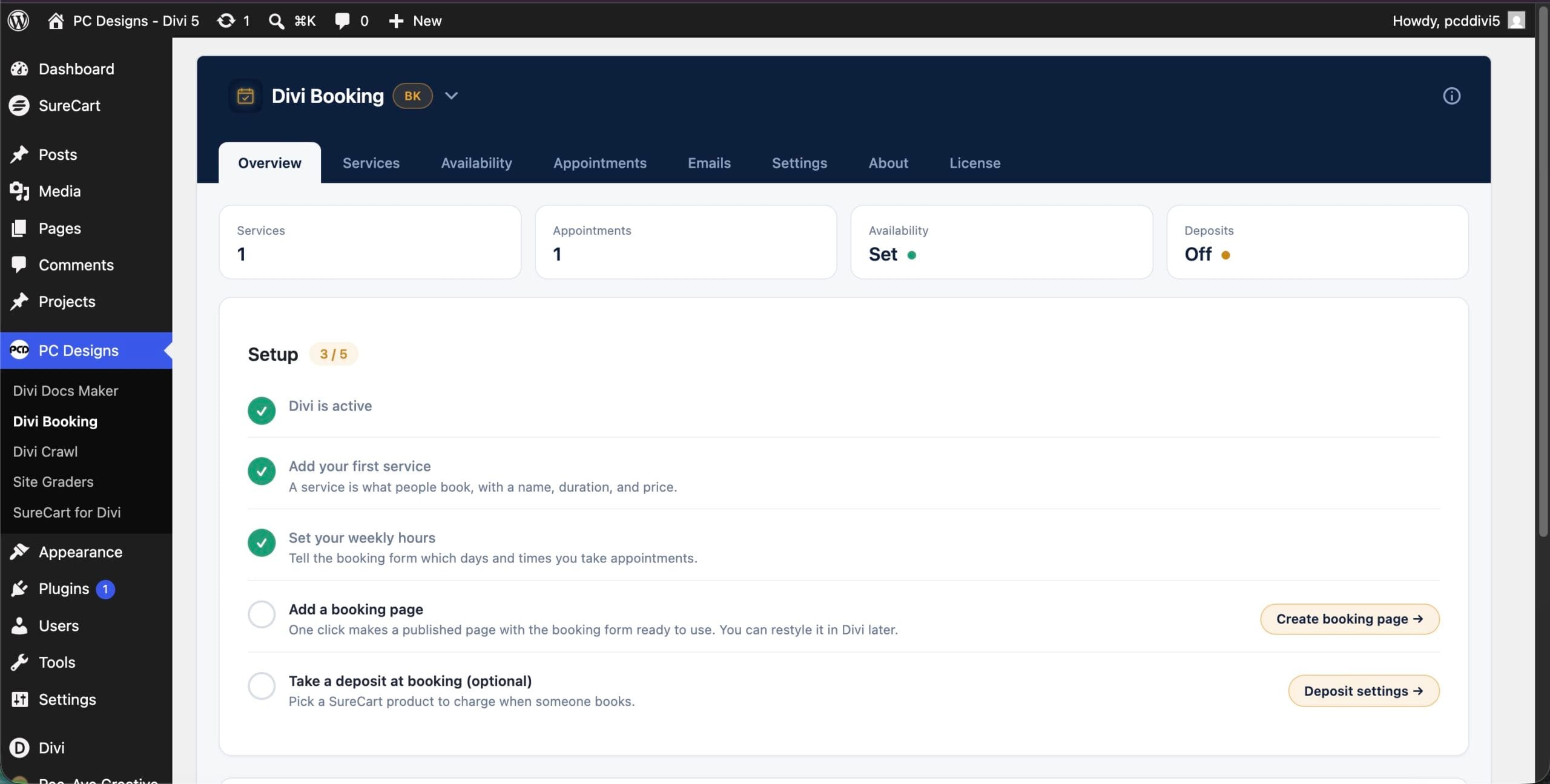
Your booking home
Today’s appointments, quick numbers, and a setup checklist so you always know what is left to do. It is a real dashboard, not a wall of settings.
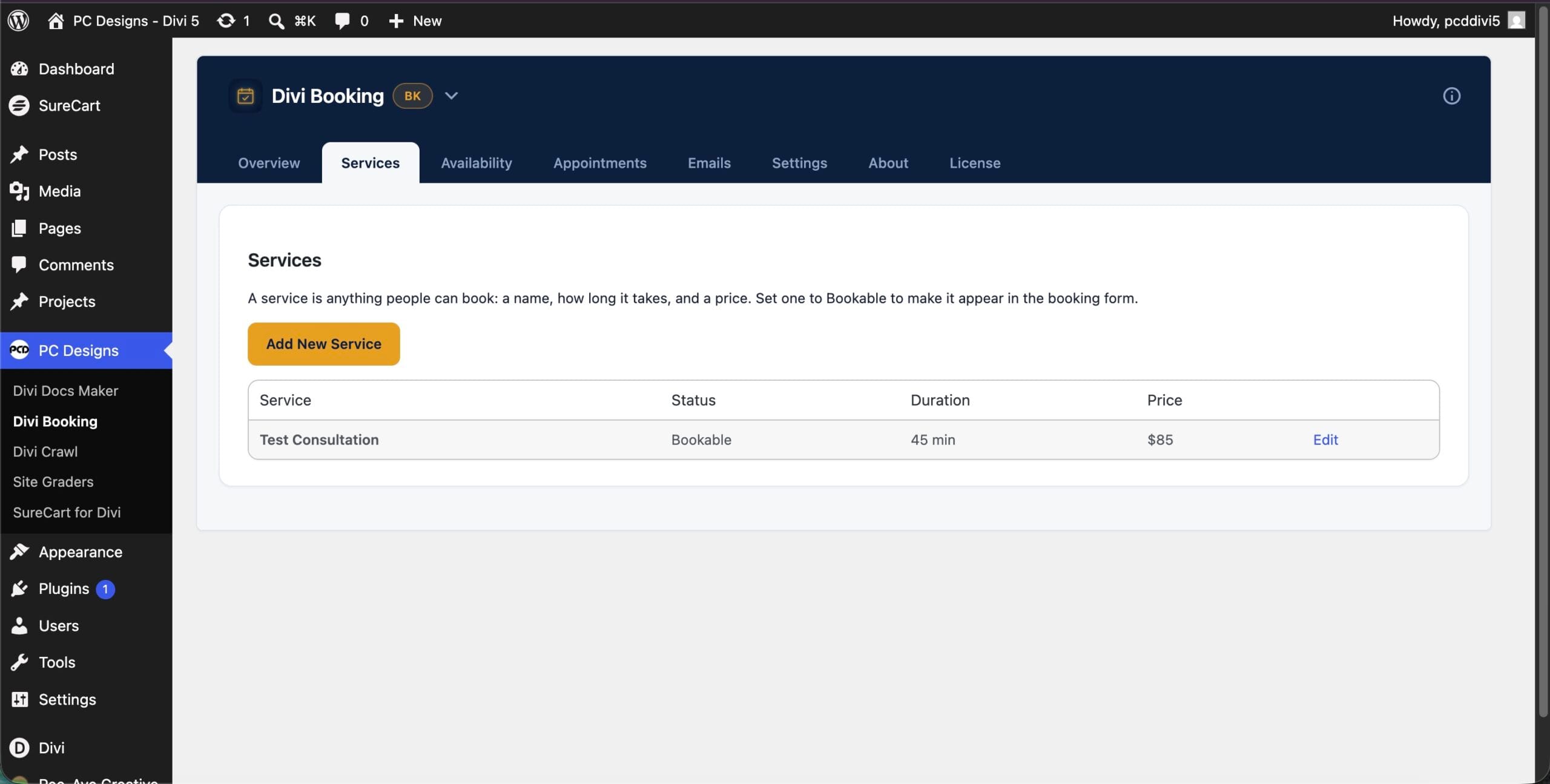
Set up your services
Name each service, set its length, price, and buffer time, and add as many as you want. No code and no add-ons. Change one and every booking form updates.
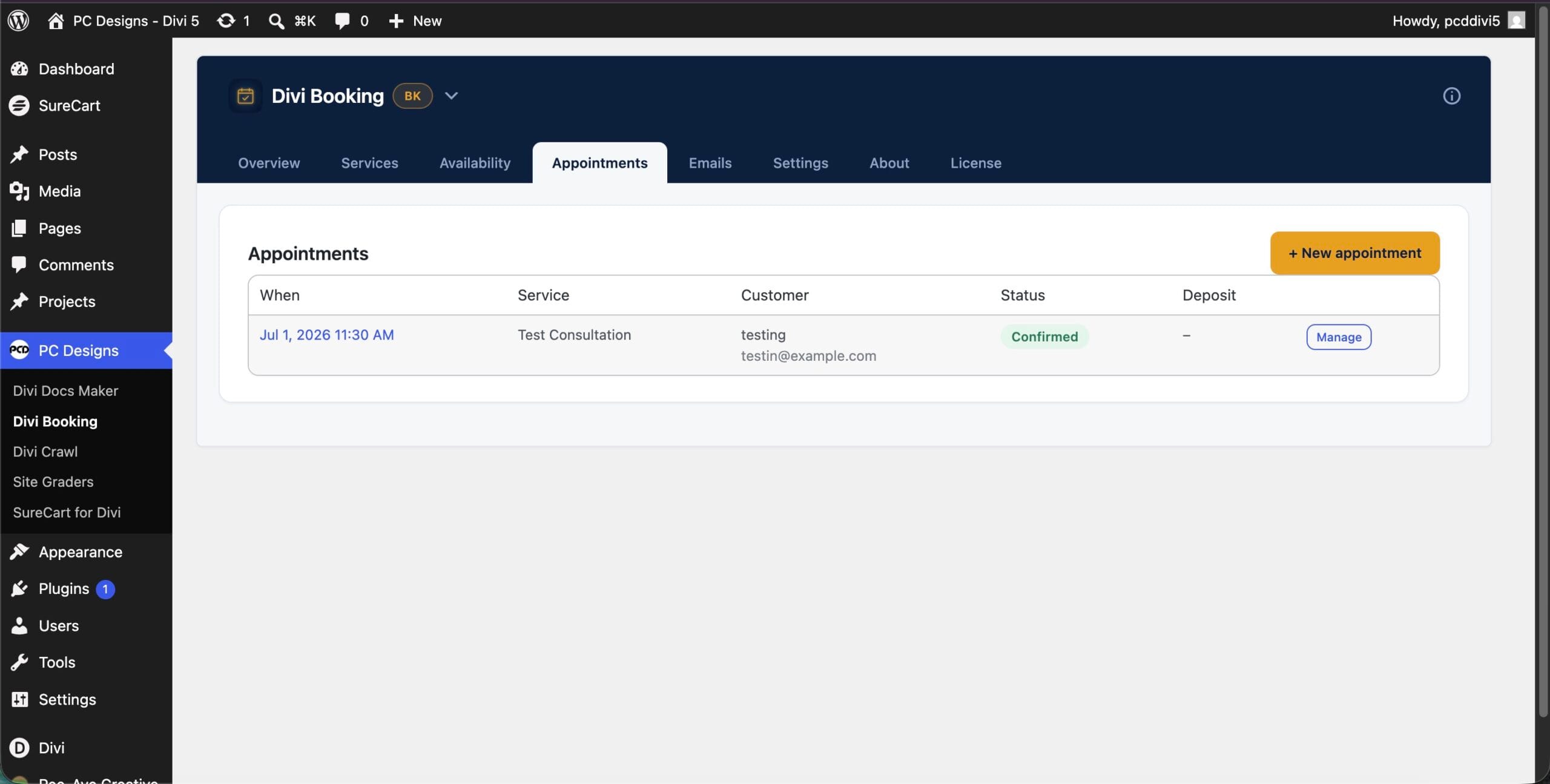
Every appointment in one place
See what is booked, edit any appointment, or add one by hand when a client calls. Everything lives in one screen instead of scattered across your inbox.
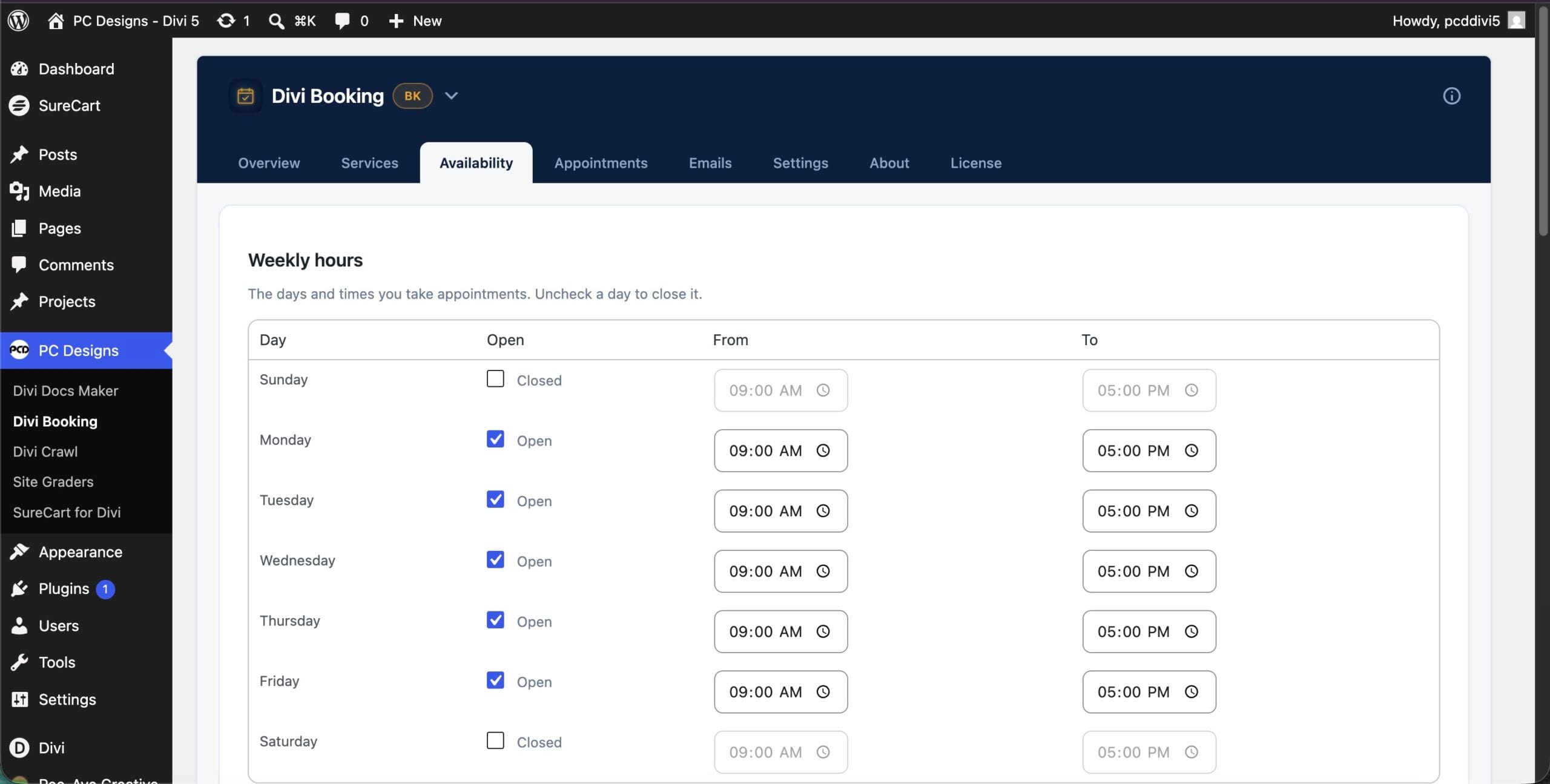
You set the rules
Weekly hours, days off, slot spacing, lead time, and buffers between appointments. Set your availability once and the form only ever offers times you can actually take.
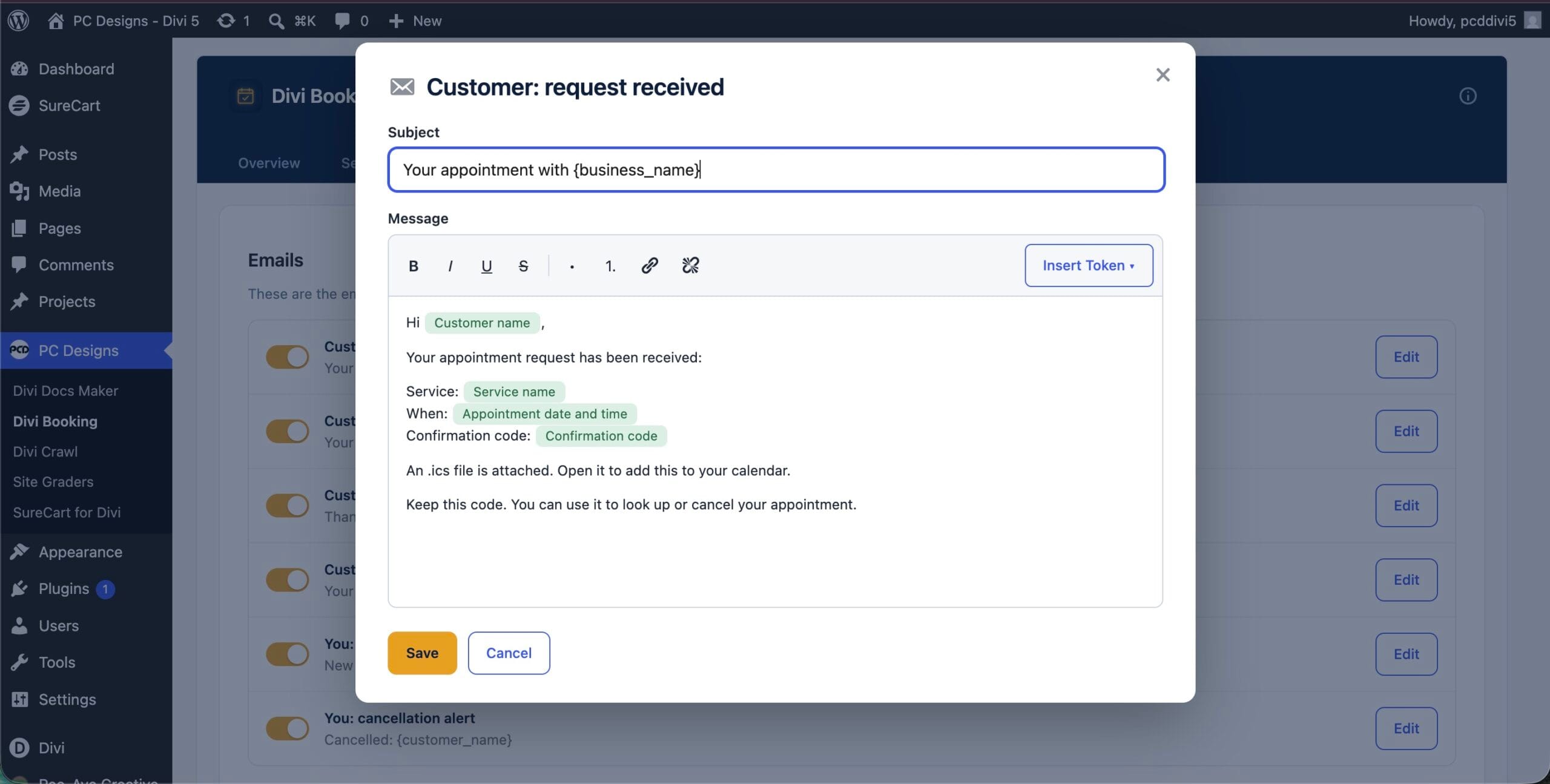
Edit every email
Change the subject and body of every message, drop in merge tags, and turn any email on or off. Your confirmations sound like you, not like a generic plugin.
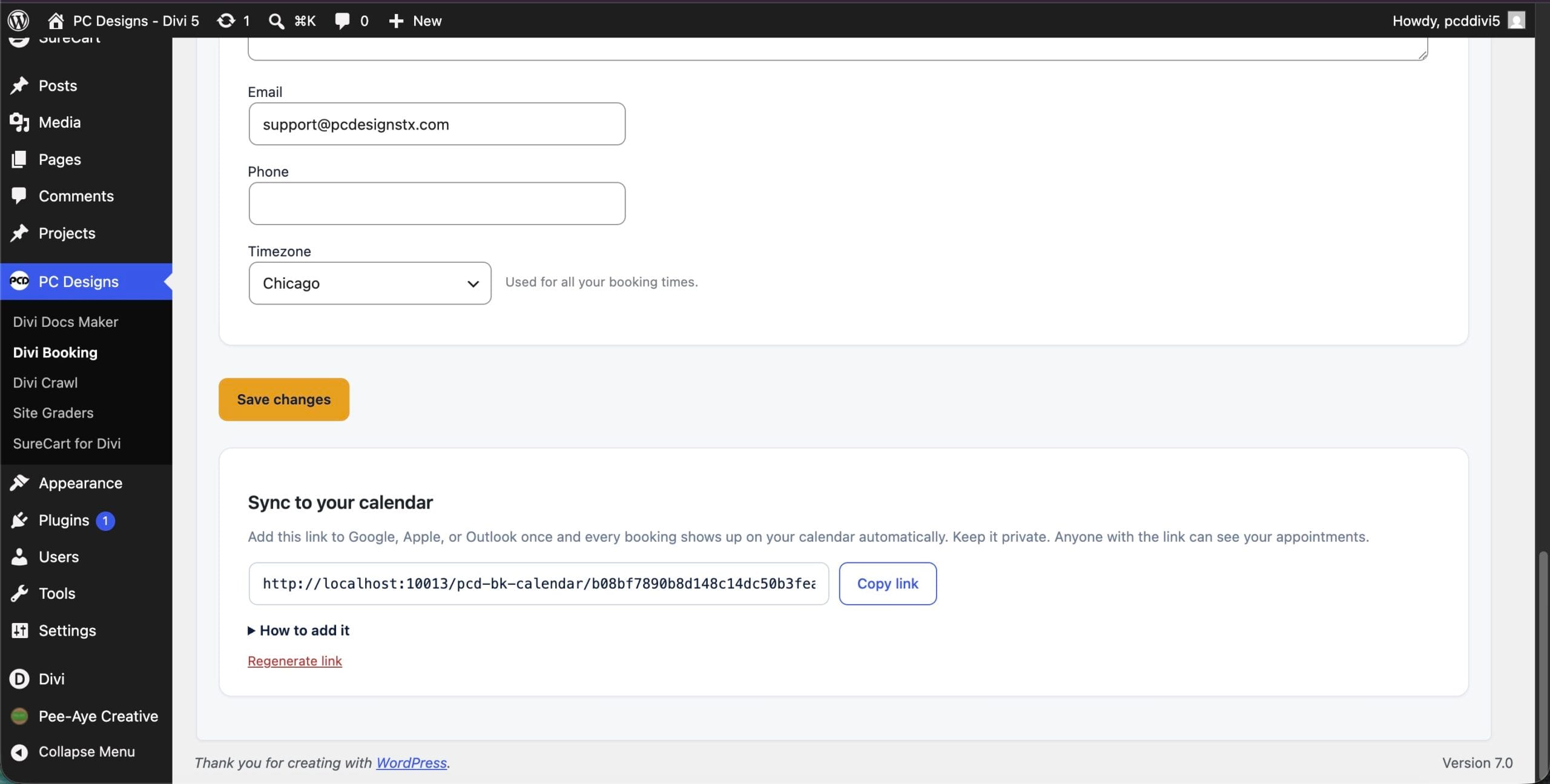
Syncs with your calendar
Subscribe from Google, Apple, or Outlook so appointments show up where you already look. Fire webhooks to Zapier, Make, or your own endpoint to connect anything else.
Single provider, and great at it
Divi Booking is single provider. One business, one calendar, one person taking appointments. If you have several staff each with their own schedule, that is coming in a later version. For a single-calendar business, this does the whole job, and it does it well.
Get Divi Booking
One plugin, with a year of updates and support. Or get it plus every PC Designs plugin with PCD One.
Divi Booking
Pick your license and go. The buy box below is live.
BEST VALUE
PCD One
Divi Booking plus every PC Designs plugin, one license key.
$149/yr
or $399 one-time lifetime
- Divi Booking, plus SureCart for Divi and every plugin we release
- New plugins added at no extra cost
- Unlimited sites, updates and support while active
Annual licenses renew yearly and can be cancelled anytime. Lifetime is a one-time payment. PCD One does not include PressConduit, which is a separate service with its own plans.
Questions
Do I need another booking plugin?
Does it work in Divi 5?
Can I take payments?
Does it sync with my calendar?
Can I edit the emails?
Can more than one person take appointments?
Take bookings from inside Divi
Drop the Booking Form on a page and publish. One plugin, Divi 4 and Divi 5.