
See Divi Accessibility Assistant in Action.
Works in Divi 4 & Divi 5 · Powered by axe-core · Scans run locally
Accessibility Scanning for Divi, Built Into Your Workflow
No extra tabs. No disconnected tools. Build the way you already do in Divi, while catching accessibility issues before clients, visitors, or auditors find them.
Visual Builder Panel
Scan While You Build, Not After Launch
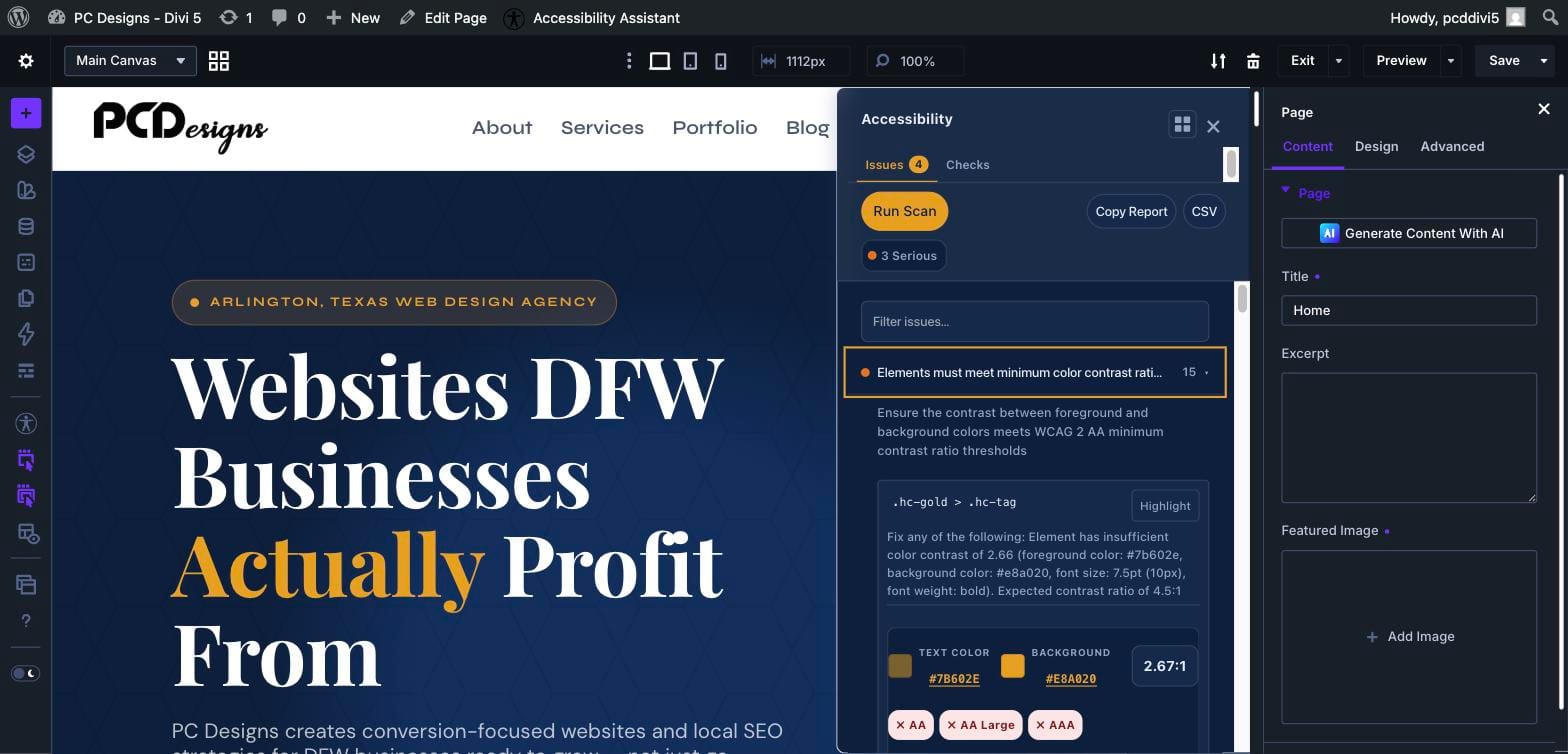
An Accessibility panel lives directly inside the Divi 4 and Divi 5 Visual Builder. Run axe-core scans against your live preview and see issues immediately, with color-contrast detail and WCAG pass-fail badges, without leaving your build flow.
- Critical, Serious, Moderate, and Minor severity labels
- WCAG 2.1 and 2.2 references for each issue
- Element-level highlighting and fix guidance
- Watch mode that re-scans as you make updates
Reports and Regression Tracking
Track Accessibility Changes Across Every Scan
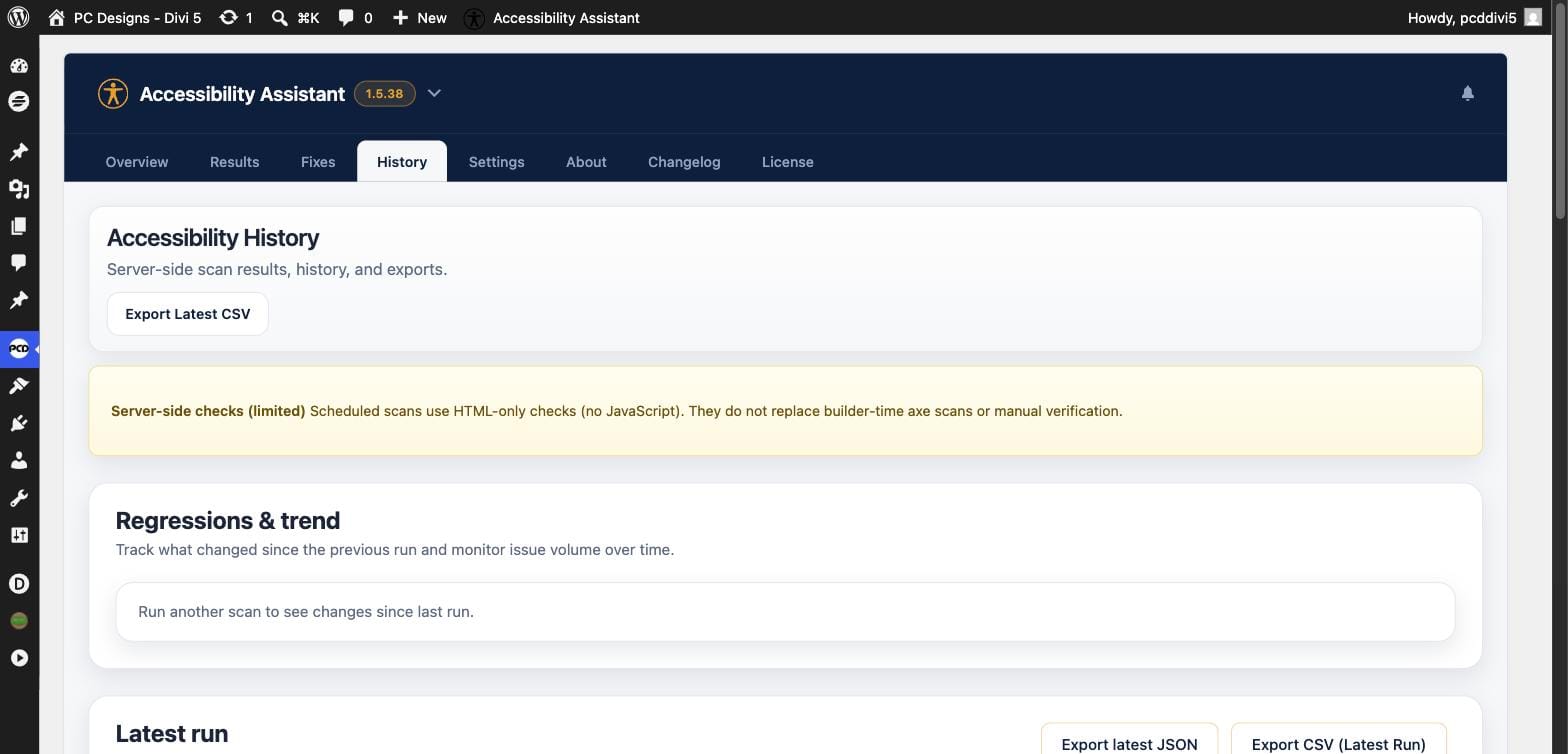
Scheduled scans run automatically on your published pages so you can see what changed over time. Know what was fixed, what is new, and what still needs attention, then export it for QA and client hand-off.
- Daily or weekly scheduled scans
- New, fixed, and persistent issues at a glance
- Trend across your last completed runs
- CSV and JSON exports for every report
Settings and Publish Guard
Add a Final Check Before High-Risk Pages Go Live
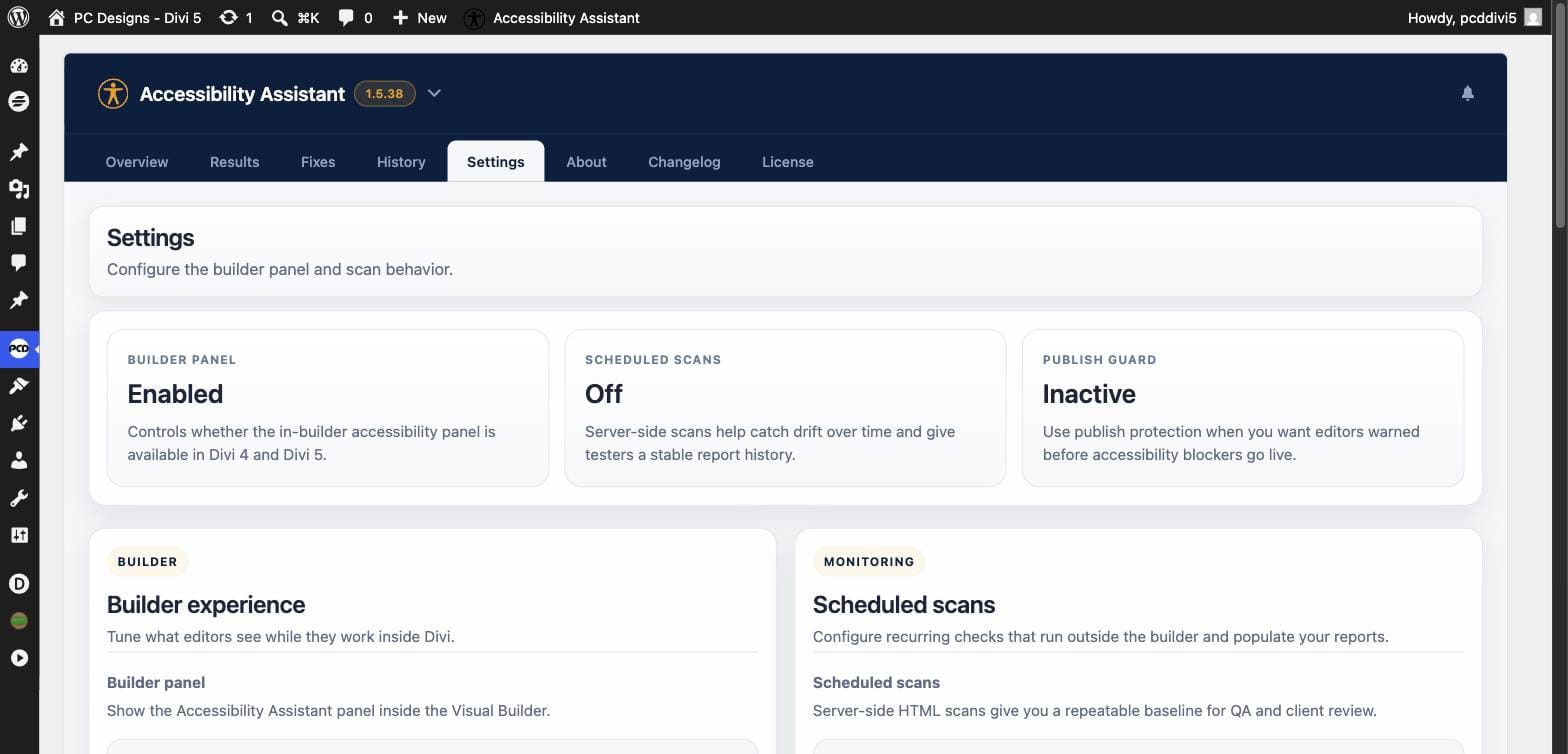
Choose your rule set, turn on scheduled scans, and enable Publish Guard to warn editors before publishing pages with high-severity accessibility issues. You control the threshold and the decision to review or override.
- Builder panel on or off per site
- WCAG 2.1, WCAG 2.2, or the full axe rule set
- Publish Guard for Critical, or Critical + Serious
- Warn-only or confirmation required
A note on compliance: Divi Accessibility Assistant is an accessibility auditing and workflow tool, not a certification service. Automated scans can catch many common WCAG issues, but full conformance still requires human review and assistive technology testing. We say that clearly because accuracy builds trust.