
For Divi 4 & Divi 5
Hand off Divi sites. Keep your design intact.
One switch makes your site client-safe. Your client edits their own text and images. They cannot delete pages, change the layout, or touch your design. You stop doing unpaid cleanup.
You have been here
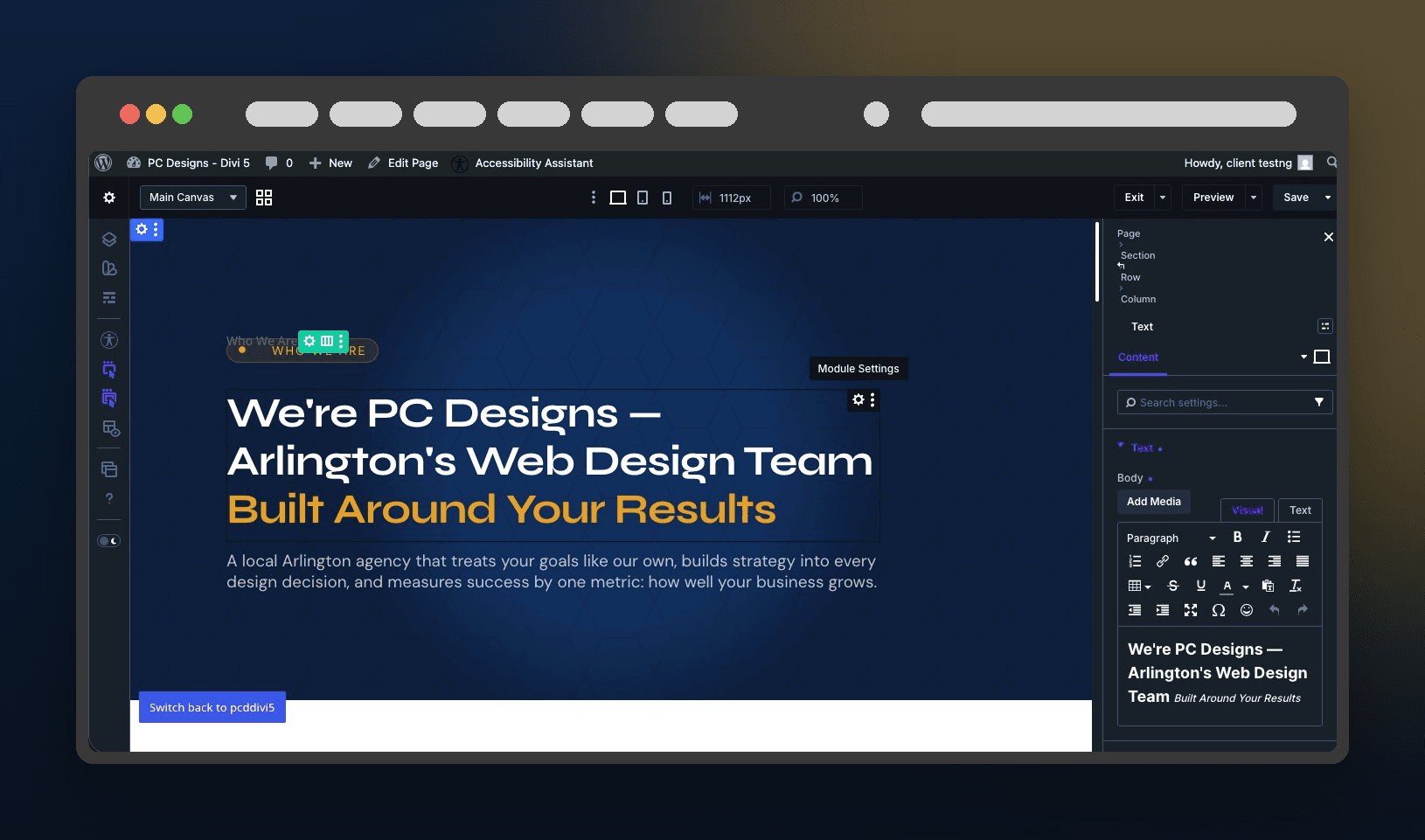
The client “just tweaked one thing.” Now the homepage is broken.
You build a clean Divi site and hand it over. Two weeks later a section is dragged out of place, a font is changed, a row is deleted by accident. You are back on a call fixing it for free. Client Mode is the switch that stops it before it starts.
One switch
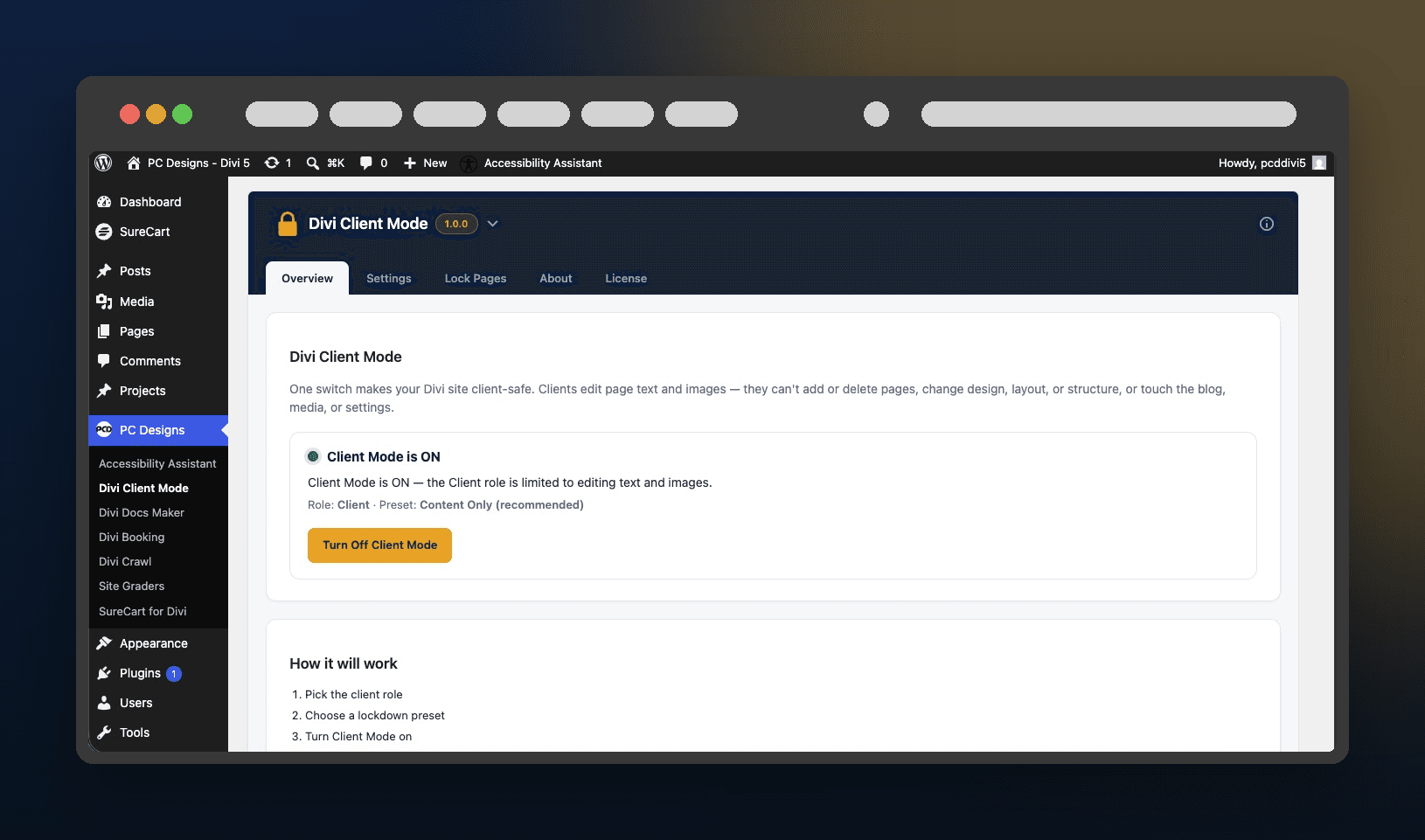
The whole lockdown lives on one screen
No settings maze. Turn Client Mode on, keep the recommended Content Only preset, and every client account is held to text and images. Turn it off and everything goes right back.
- ✓ On or off in one click, with the entire lockdown behind a single switch.
- ✓ A recommended preset, so there is nothing to configure.
- ✓ Right in your PC Designs menu, alongside your other plugins.
Why it actually works
Most “client safe” plugins hide a few menus. This locks both levels that matter.
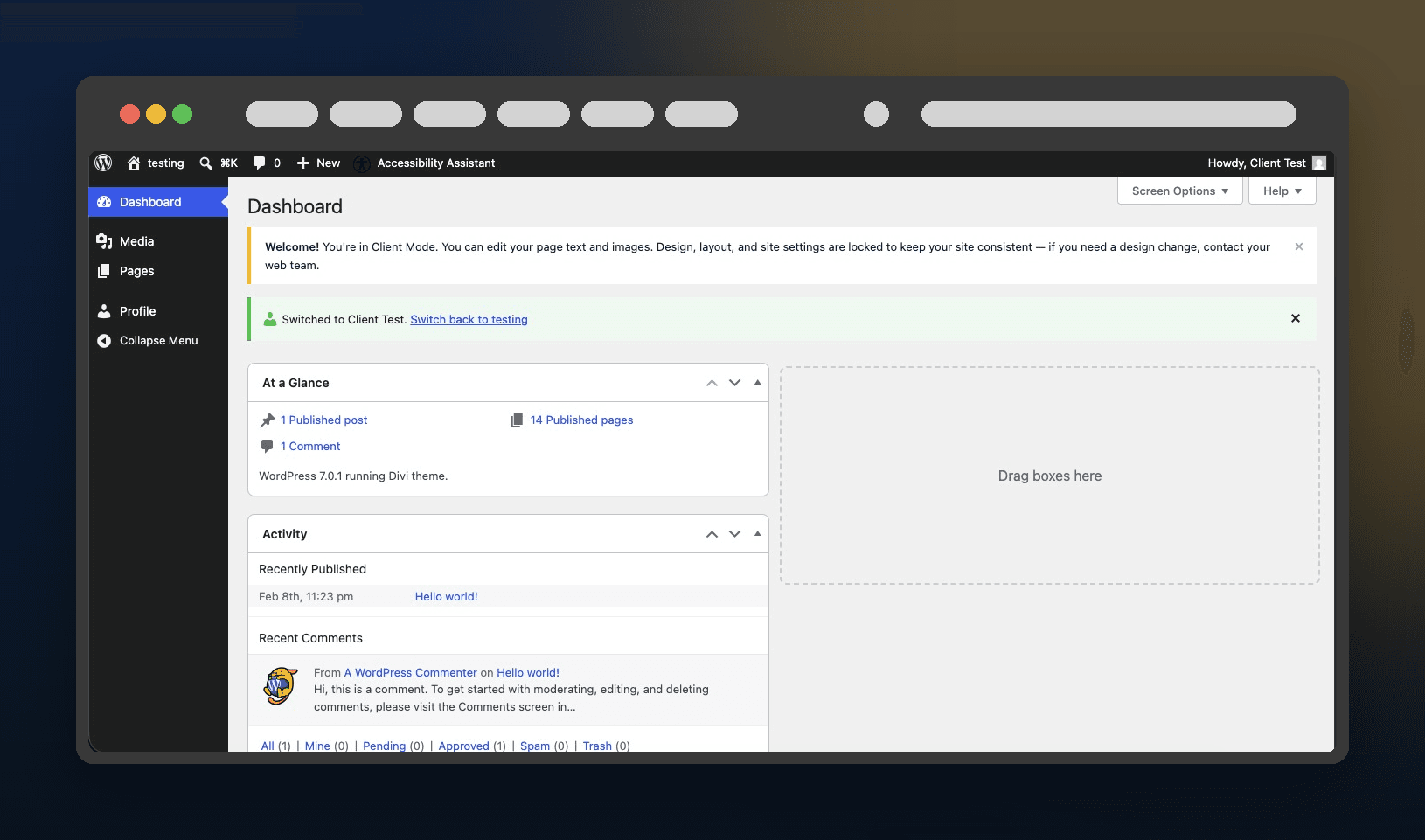
In WordPress: a scoped Client account
Client Mode creates a dedicated Client role and trims the dashboard to what they actually need.
- ✓ They edit your existing pages and upload images.
- ✓ They cannot add or delete pages, or publish new ones.
- ✓ No blog, no media deletion, no comments, tools, or settings.
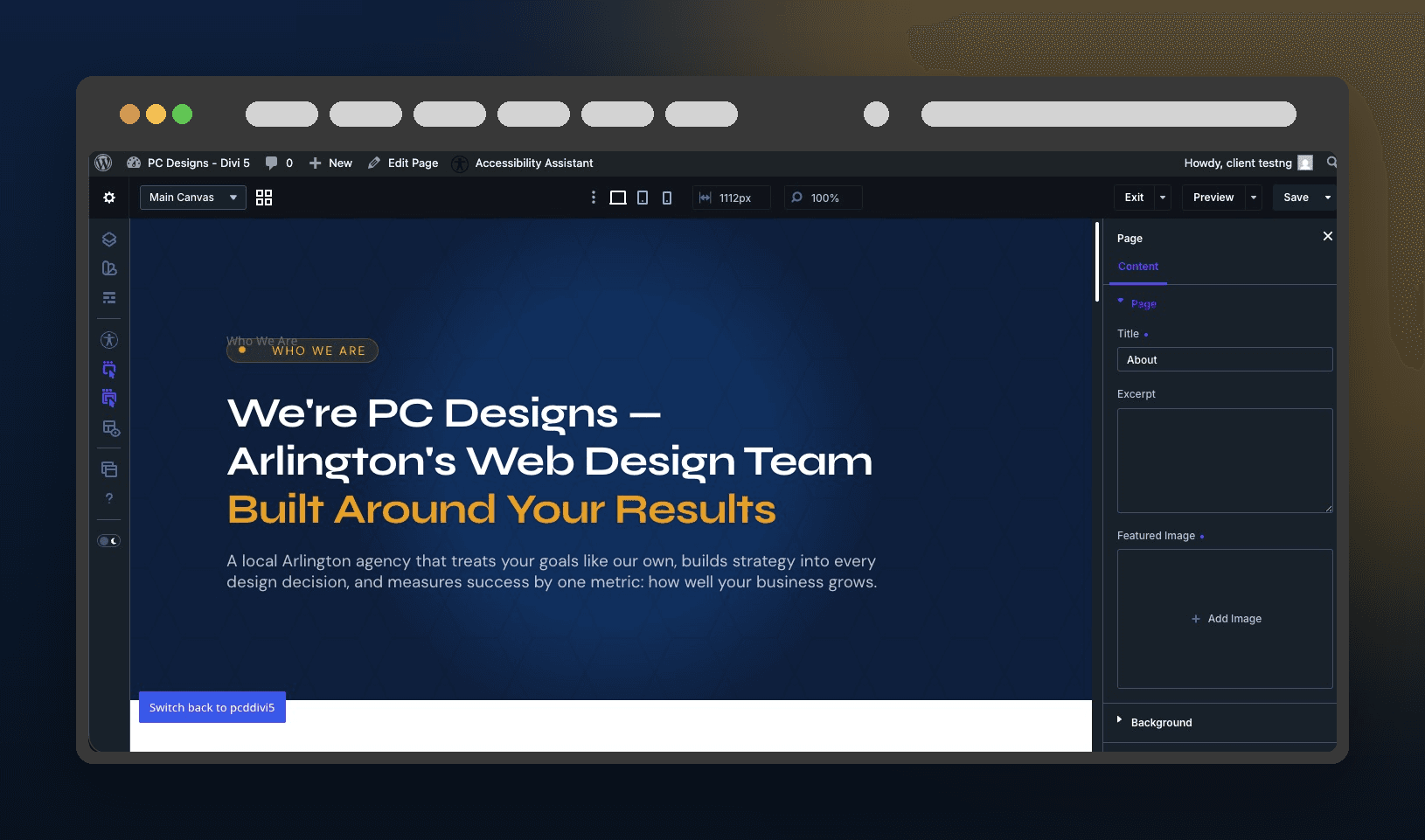
In the Divi builder: design is off-limits
The tabs that break sites are simply gone, on both Divi 4 and Divi 5.
- ✓ No colors, fonts, spacing, borders, or custom CSS.
- ✓ Structure is frozen, so nothing gets added, moved, or deleted.
- ✓ Only the Content tab: they change words and images.
Crystal clear
Exactly what your client can and can’t do
They can
- ✓ Edit the text on the pages you allow
- ✓ Swap and upload images
- ✓ Set the page title, excerpt, and featured image
- ✓ Save changes and keep the page live
- ✓ Work in the Divi builder they already know
They can’t
- ✗ Add new pages or delete existing ones
- ✗ Change design, layout, spacing, or fonts
- ✗ Move, add, or remove sections and modules
- ✗ Edit custom CSS
- ✗ Reach the blog, tools, plugins, or settings
Live in under a minute
Three steps and you are done
Turn on Client Mode
One switch in your PC Designs dashboard sets the whole thing up.
Make your client a Client
Pick their user, click once. It gives them the scoped role and nothing more.
They edit, safely
They log in, open a page, and change text and images. The rest is locked.
Simple pricing
Pick a plan, or get everything with PCD One
One-time lifetime or yearly. Every plan includes both Divi 4 and Divi 5, updates, and support.
Divi Client Mode
Pick your license and go. The buy box below is live.
Best value
PCD One
Divi Client Mode plus every PC Designs plugin, one license key.
$149/yr
or $399 one-time lifetime
- Client Mode, plus SureCart for Divi and every plugin we release
- New plugins added at no extra cost
- Unlimited sites, updates and support while active
Annual licenses renew yearly and can be cancelled anytime. Lifetime is a one-time payment. PCD One does not include PressConduit, which is a separate service with its own plans.
Questions, answered
Does it work on Divi 5?
Will it slow my site down?
Can I control which pages the client edits?
What happens if I uninstall it?
Give clients the keys to their content, not your design.
Turn one switch on and hand off with confidence. Divi 4 and Divi 5, unlimited sites from $79 a year.