
Catch Accessibility Issues Before You Publish. Prove the Quality of Your Divi Work.
Built for Divi workflows · Powered by axe-core · 30-day money-back guarantee
Accessibility Problems Cost Time, Trust, and Revenue
Most accessibility issues are easier to fix during the build than after launch. The longer they sit, the more expensive they become.
4,605
ADA Web Lawsuits in 2023
Web accessibility claims continue to rise. Businesses with public-facing websites are exposed when common accessibility issues go unresolved.
$25K+
Cost to Defend a Claim
Even when a business disputes a claim, defense costs add up fast. Preventing obvious issues early is far cheaper than reacting later.
$500
Typical Cost of One Manual Audit
Manual accessibility reviews are valuable, but they are expensive to repeat. This helps you catch common issues continuously across every Divi site you manage.
Accessibility Scanning for Divi, Built Into Your Workflow
No extra tabs. No disconnected tools. Build the way you already do in Divi, while catching accessibility issues before clients, visitors, or auditors find them.
Visual Builder Panel
Scan While You Build, Not After Launch
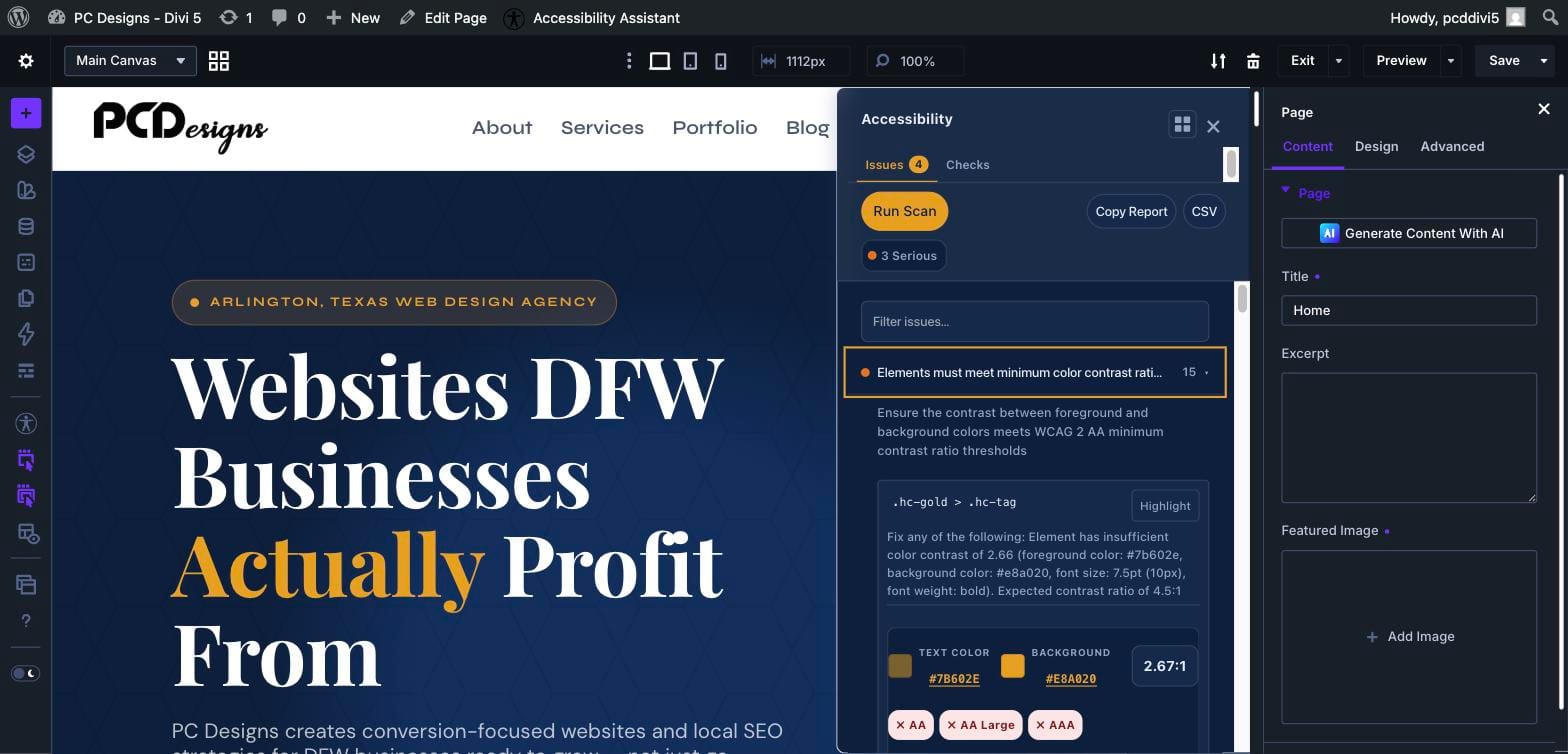
An Accessibility panel lives directly inside the Divi 4 and Divi 5 Visual Builder. Run axe-core scans against your live preview and see issues immediately, with color-contrast detail and WCAG pass-fail badges.
- Critical, Serious, Moderate, and Minor severity labels
- WCAG 2.1 and 2.2 references for each issue
- Element-level highlighting and fix guidance
- Watch mode that re-scans as you make updates
Reports and Regression Tracking
Track Accessibility Changes Across Every Scan
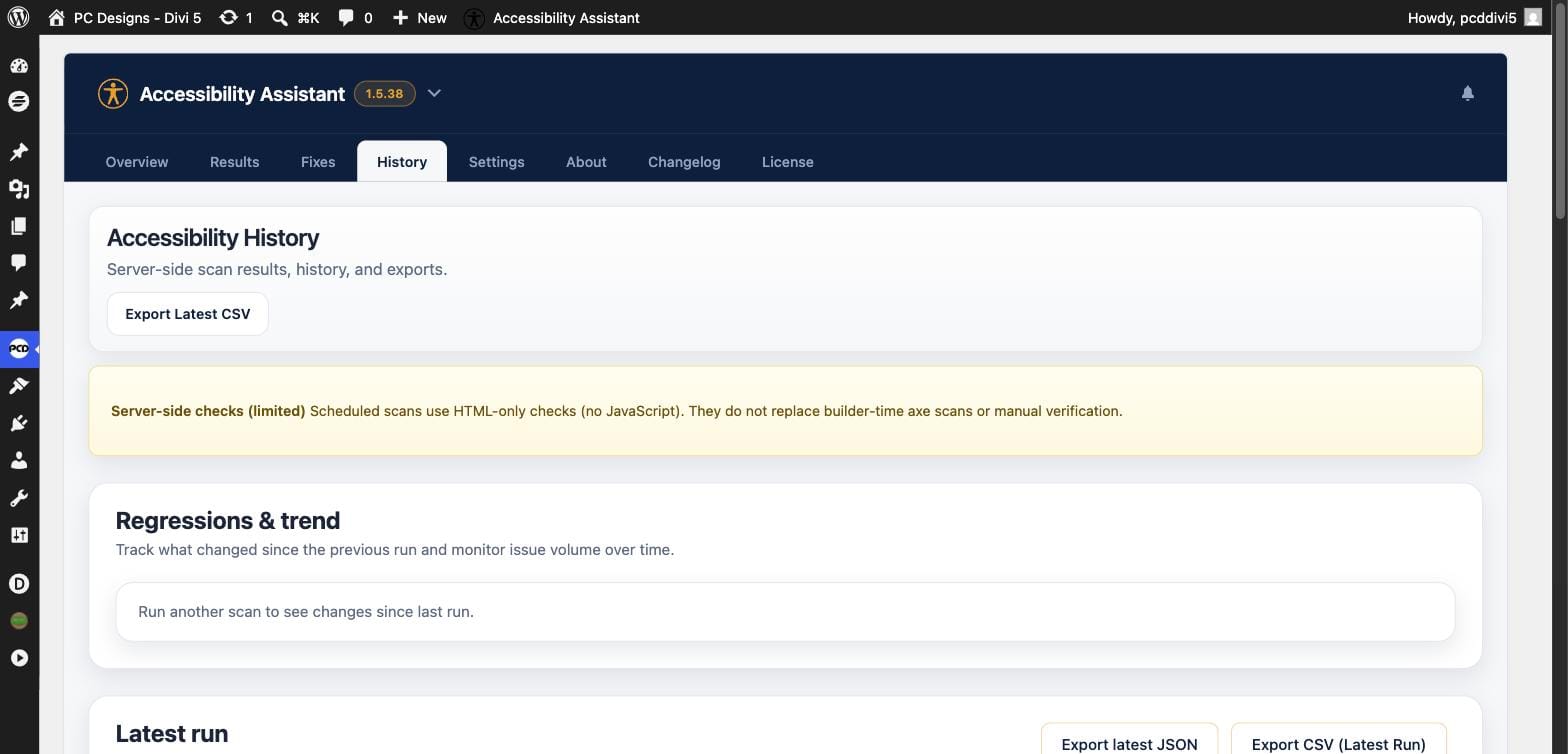
Scheduled scans run automatically on your published pages so you can see what changed over time. Know what was fixed, what is new, and what still needs attention, then export it for QA and client hand-off.
- Daily or weekly scheduled scans
- New, fixed, and persistent issues at a glance
- Trend across your last completed runs
- CSV and JSON exports for every report
Settings and Publish Guard
Add a Final Check Before High-Risk Pages Go Live
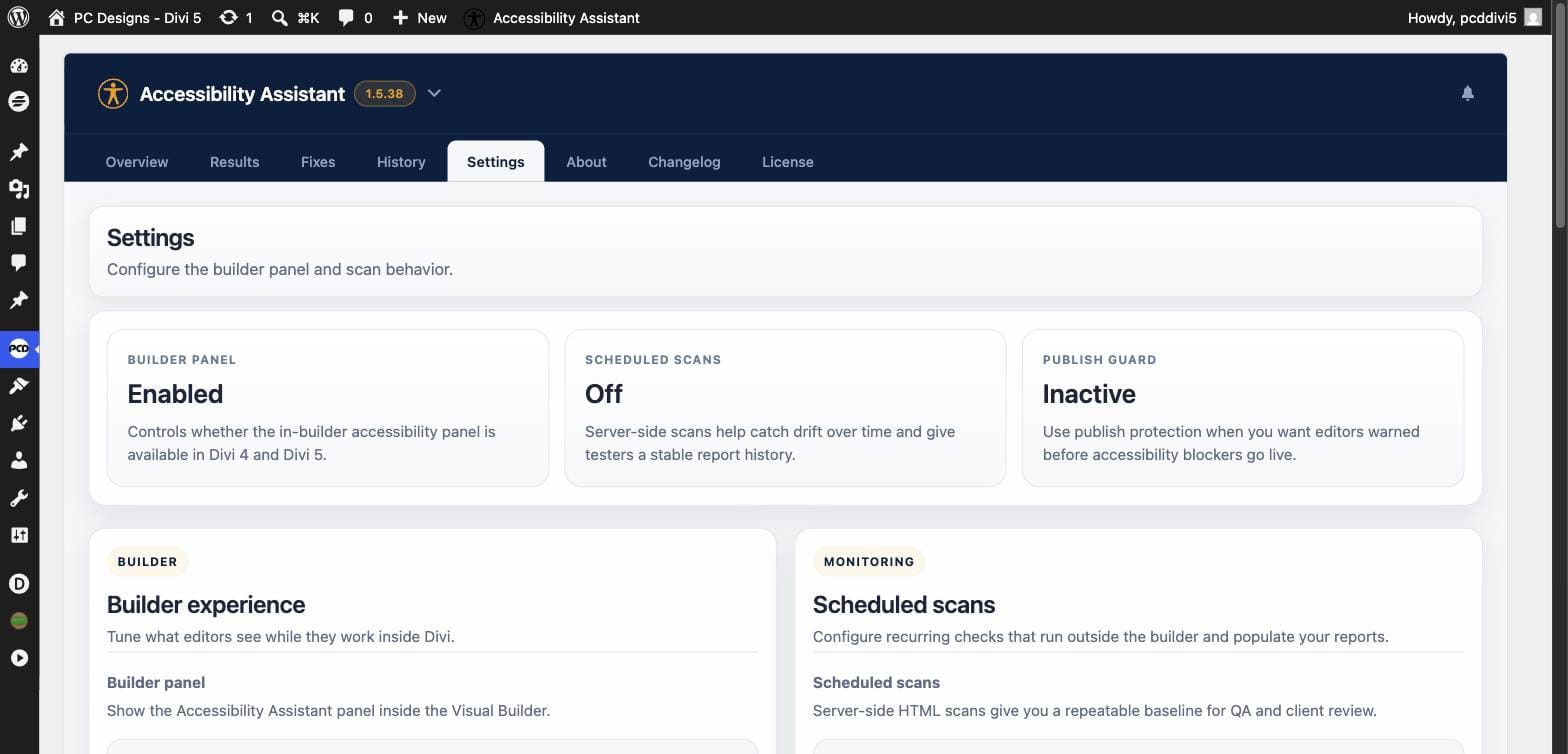
Choose your rule set, turn on scheduled scans, and enable Publish Guard to warn editors before publishing pages with high-severity accessibility issues. You control the threshold and the decision to review or override.
- Builder panel on or off per site
- WCAG 2.1, WCAG 2.2, or the full axe rule set
- Publish Guard for Critical, or Critical + Serious
- Warn-only or confirmation required
All Core Features. Every Plan.
Get the plugin on its own, with a year of updates and support. Or get it plus every PC Designs plugin with PCD One.
Divi Accessibility Assistant
Pick your license and go. The buy box below is live.
BEST VALUE
PCD One
Divi Accessibility Assistant plus every PC Designs plugin, one license key.
$149/yr
or $399 one-time lifetime
- Divi Accessibility Assistant, plus SureCart for Divi and every plugin we release
- New plugins added at no extra cost
- Unlimited sites, updates and support while active
30-day money-back guarantee. Annual licenses renew yearly and can be cancelled anytime. Lifetime is a one-time payment. PCD One does not include PressConduit, which is a separate service with its own plans.
One Plugin. Hours Saved on Every Site.
If this saves you even one hour of manual accessibility checking on a single build, it has already paid for itself.
Fix Problems Earlier
Create Better Client Deliverables
Reduce Ongoing Risk
A note on compliance: Divi Accessibility Assistant is an accessibility auditing and workflow tool, not a certification service. Automated scans can catch many common WCAG issues, but full conformance still requires human review and assistive technology testing. We say that clearly because accuracy builds trust.
Straight Answers
Does this work with Divi 4?
Is this the same as the Divi Marketplace version?
Will this guarantee my site is WCAG compliant?
What if it is not right for me?
Catch More Issues. Ship With More Confidence.
Stop relying on scattered tools and manual checks. Use a workflow built for Divi that helps you find accessibility issues before launch and prove the work you deliver.